Syllabus
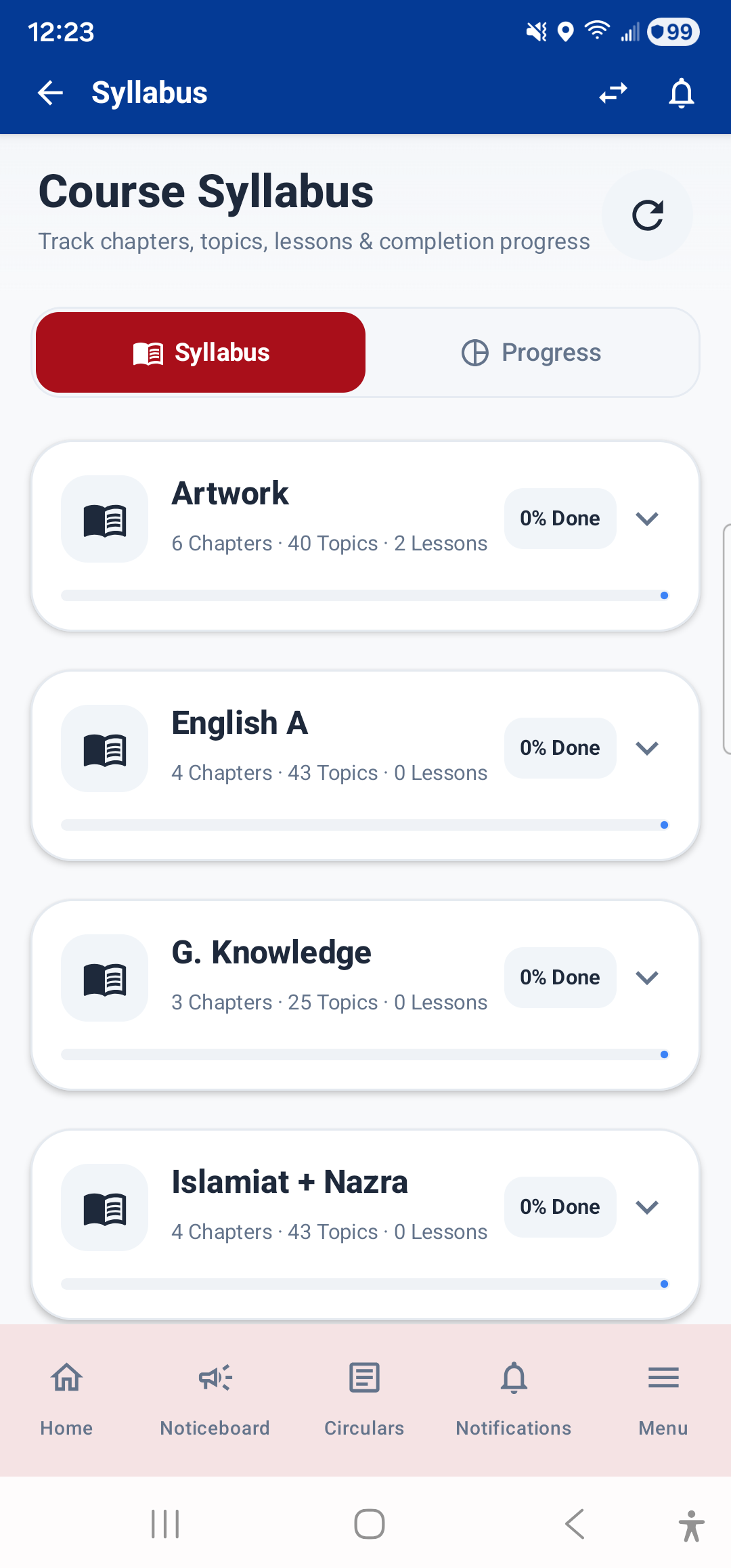
The Syllabus module shows how much of each subject's syllabus has been covered. Open it from Menu → Academics → Syllabus.
- Subject-wise progress: Each subject shows a progress bar indicating the percentage of syllabus completed.
- Topic list: Tap a subject to see the full list of topics, with checkmarks showing which topics have been taught.
The Dashboard also shows a Syllabus Completion widget with a quick overview.
Lesson Plans
The Lesson Plans module shows the detailed 5E lesson plans created by your teachers for each topic. Open it from Menu → Academics → Lesson Plans.
- Subject and topic for each lesson plan
- 5E phases: Engage, Explore, Explain, Elaborate, Evaluate — each phase shows what the teacher will do and what students are expected to do
- Learning objectives and prerequisites for the lesson
- Teaching methodology and materials used
- Assessment and homework associated with the lesson