
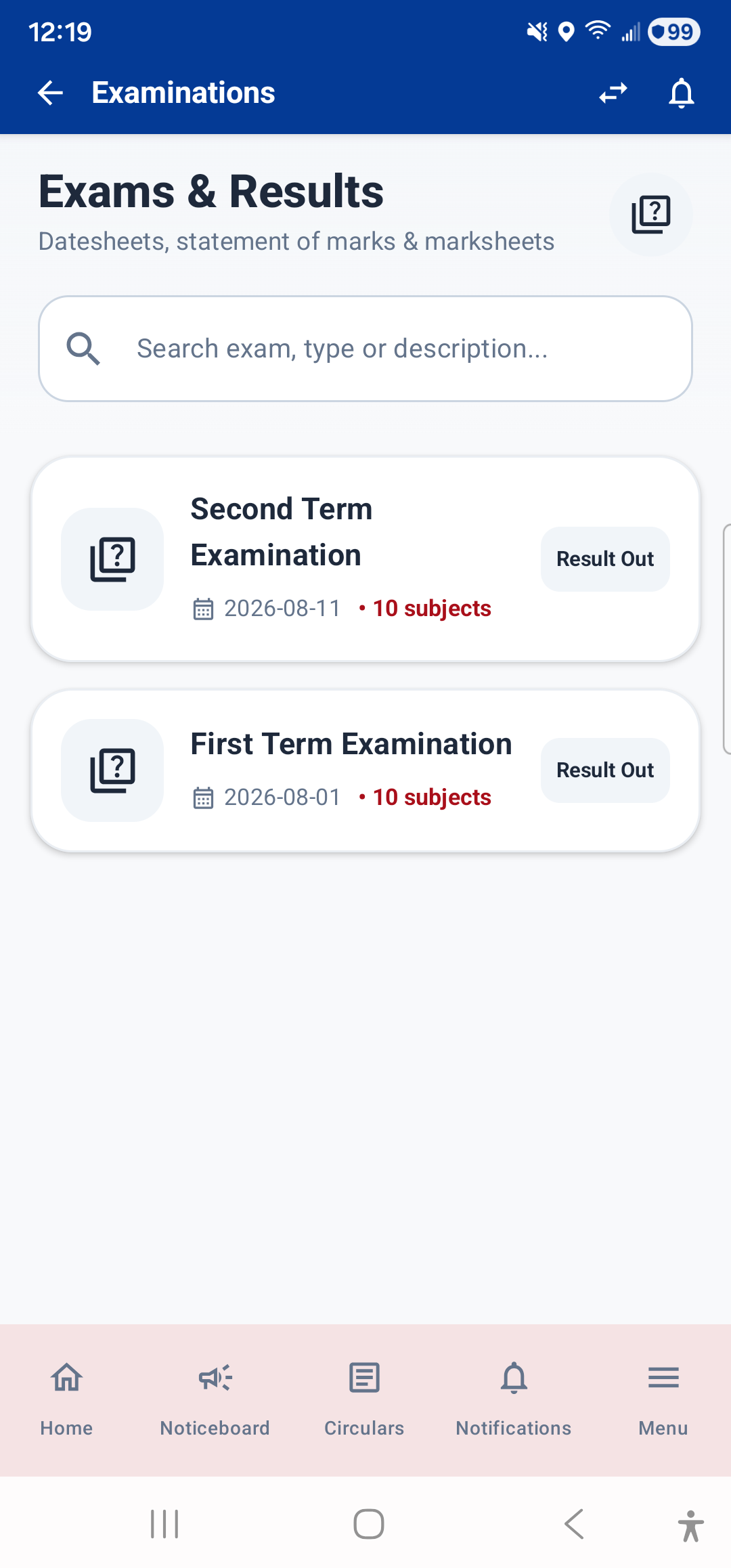
The Exams & Results module lets you view exam schedules and your exam results. Open it from the Dashboard (tap the "Upcoming Exams" widget or stat card) or from Menu → Academics → Exams & Results.
Exam List
When you open the module, you see a list of all exams for the current session:
- Exam name (e.g., "First Term Examination")
- Exam dates (start and end)
- Status: Upcoming, Ongoing, or Completed
- Result status: Whether results have been published
Tap any exam to see its details.
Exam Detail Screen
When you tap an exam, the detail screen shows:
- Exam Schedule: A date-wise breakdown of which subject exam is on which date, with time and total marks.
- Result / Marksheet: If results are published, you will see:
- Subject-wise marks — marks obtained, total marks, and grade for each subject
- Total marks and percentage
- Grade and rank (if applicable)
- Consolidated result — for Second Term and Final Term, a consolidated result combining weightages from previous terms is shown
- Official Marksheet PDF: Tap the marksheet button to view the official PDF marksheet in a built-in PDF viewer. You can zoom, scroll, and download it.
Subject Performance on Dashboard
The Dashboard's Subject Performance radar chart shows your marks across all subjects, giving you a visual comparison of where you are strong and where you need improvement.
---