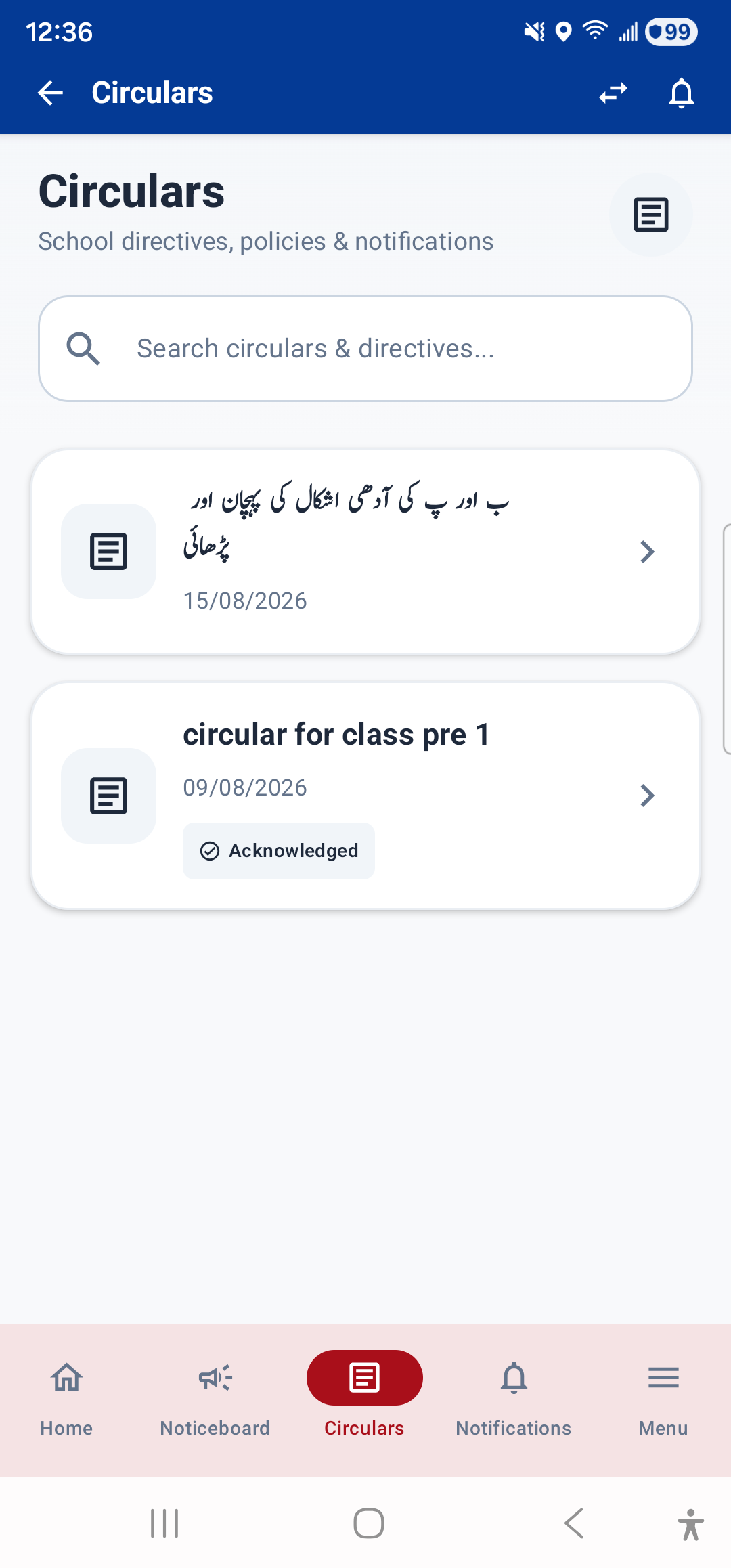
The Circulars module shows formal circulars issued by the school. It is accessible from the bottom navigation bar (the "Circulars" tab) or from Menu → Services → Circulars.
What You See
- Circular Cards: Each circular shows:
- Circular Number: A unique reference number (e.g., IPSC/2026/001)
- Title of the circular
- Status badge: Published, Draft, or Archived
- Category: e.g., Academic, Administrative, Holiday
- Issue date and expiry date
- Pinned badge if pinned to the top
- Attachment: Most circulars have an attached PDF document. Tap the attachment card to open it in the in-app PDF viewer, where you can read, zoom, and download it.
Acknowledgement
Some circulars require acknowledgement — this means you must confirm that you have read the circular. If acknowledgement is required, a banner appears at the bottom of the circular detail view with an "Acknowledge" button. Tap it to confirm you have read the circular.
---